

A colour printing policy is a written rule set that decides who can print in colour, on which devices, and under what approval. The single rule to apply today: set every printer default to black and white and double-sided, then require staff to actively request colour for approved jobs only. Everything else, from stakeholder buy-in to measuring savings, builds on that one switch.
TL;DR:
Switching all printers to default mono and duplex settings typically reduces colour page volume within the first billing cycle.
Only authorised staff should print in colour, with clear approval processes to prevent unnecessary toner and paper waste.
Regularly tracking colour versus monochrome usage by department helps identify overuse and target training or adjustments.
Implementing secure release or login authentication for large or sensitive colour jobs minimises unattended, costly prints.
Choosing centralised, properly configured devices with monthly reporting streamlines enforcement and demonstrates savings.
Table of Contents
-
What a working colour printing policy looks like in practice
-
Let Global Office Machines set up the policy behind the scenes
Why does a colour printing policy matter for your business?
Colour toner costs several times more per page than mono, and most of it gets used on emails, internal memos and drafts that nobody needed in colour at all. A print services guideline from the Queensland Government advises departments to actively manage total print volume and minimise colour use specifically because of that cost gap. The business case runs wider than the toner cartridge, though:
-
Lower paper and toner consumption cuts your environmental footprint, which matters for ESG reporting and, increasingly, for tender responses.
-
Fewer uncollected colour jobs sitting in output trays means less wasted paper and toner overall.
-
Centralised colour approval reduces the risk of sensitive documents being printed and left unattended.
-
Some government and enterprise contracts now expect documented print governance as part of procurement compliance.
Get this rationale in front of finance and operations early. It is a much easier sell than “please use less colour.”
What should a colour printing policy actually cover?
A print policy exists to record the rules governing how your organisation prints, and it needs to answer some very specific operational questions, not just state a good intention. Structure it around these components:
-
Scope and device coverage. List every printer, MFP and plotter the policy applies to, and note any exclusions (a design team’s proofing plotter, for instance).
-
Default settings. State plainly that mono and duplex are the default on every networked device, with colour requiring a deliberate selection.
-
Approved exceptions. Define who can print in colour without asking (marketing, finance reports with charts) and who needs sign-off.
-
Roles and escalation. Name who owns the policy, who approves exceptions, and who staff contact when a job gets blocked.
-
Security controls. Require secure release or PIN authentication for colour jobs above a page threshold, and for anything containing client or financial data.
-
Recordkeeping and sanctions. Note how colour usage is logged, how often it is reviewed, and what happens with repeat unauthorised use.
Six sections, clearly written, beat a twelve-page policy nobody reads past the first paragraph.
How do you cut colour printing and toner use day to day?
Policy wording only works if the printer settings back it up. Start with the fleet itself: configure mono and duplex as the network default, enable “print selection” so users only print the pages they need, and set draft mode as standard for anything internal.
Document design does a lot of the heavy lifting too. Charts built with colour fills alone become unreadable once printed mono, but swapping fills for patterns or varied greyscale shades keeps them legible without using any colour toner at all. Cover pages with heavy colour blocks are the worst offenders, and cutting them saves more toner than most managers expect.
-
Centralise colour-capable devices rather than giving every desk its own colour printer.
-
Require secure release or login authentication before large colour jobs are released to the tray.
-
Use n-up printing (two or four pages per sheet) for drafts and internal reviews.
-
Push digital proofing and shared PDF review instead of printing every draft in full colour.
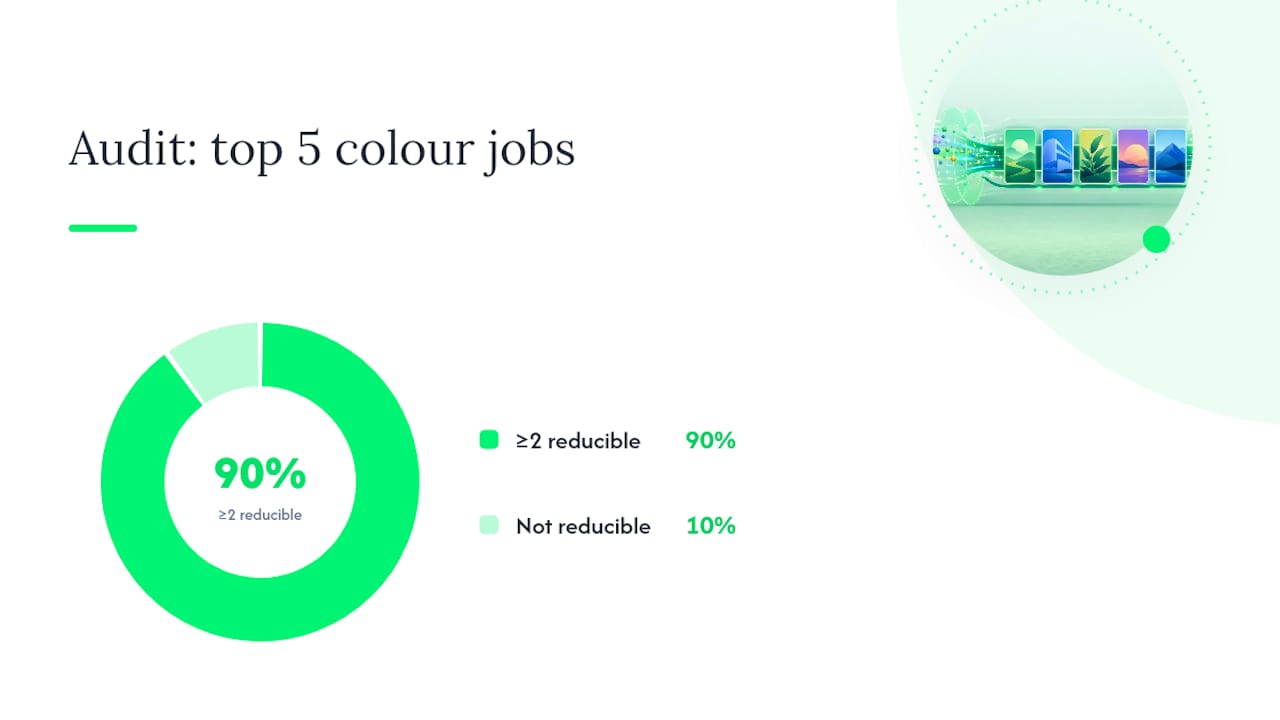
Pro Tip: Audit your five biggest colour print jobs from last month. Nine times out of ten, at least two of them could have been a PDF review instead of a printed proof.
How do you roll out and enforce the policy?
A policy that lands in someone’s inbox and nowhere else will not change behaviour. Treat the rollout like a small project with a clear owner.
-
Draft with the right stakeholders. Pull in IT, finance, and whichever department does the most colour printing (usually marketing or design), so the rules reflect real workflows.
-
Pilot before you scale. Trial the new defaults on one floor or department for a month before pushing them company-wide.
-
Set the technical levers. Configure default settings, pull printing, monthly quotas, and cost centre chargebacks so the policy enforces itself instead of relying on memory.
-
Communicate and train. A short email and a laminated cheat sheet near the printer does more than a buried intranet page.
-
Review procurement rules. Specify duplex and mono defaults in any new device purchase or lease agreement, and centralise consumables ordering.
-
Bring in a managed print partner where the fleet is complex. Managed print services can reduce waste through secure release and centralised device management, particularly once you are running more than a handful of shared devices.
What should you measure to prove the policy works?
You cannot manage what you do not track, and print volume is one of the easiest things in an office to measure once you decide to look at it.
-
Colour page count versus mono page count, tracked monthly per device and per cost centre.
-
Duplex adoption rate as a percentage of total print jobs.
-
Cost per page, split by colour and mono.
-
Top ten users or departments by colour volume, reviewed monthly.
Reporting that separates colour from mono volumes is what actually drives behaviour change, because a manager who sees their department is the outlier tends to fix it without being told. If one team consistently sits above the average after three months, that is your signal for targeted training rather than a blanket rule change.
What a working colour printing policy looks like in practice
An authorised office equipment dealer can fit fleets with the settings and reporting a real policy needs. One recurring pattern: offices that switch their default from colour to mono and duplex, and pair it with secure release on shared devices, typically see their colour page volume drop within the first billing cycle, simply because the “easy” option is no longer colour.
A short checklist you can adapt directly:
-
Default every device to mono and duplex.
-
Require PIN or badge release for large print jobs or anything in colour.
-
Name one policy owner and one approver for exceptions.
-
Log colour versus mono volume monthly per cost centre.
-
Review the policy every six months against usage data.
When you request a quote from any printer vendor, ask specifically for default setting configuration, secure release capability, monthly usage reporting, and managed consumables. If those four items are not on the table, keep asking.
Balancing control with productivity

The mistake most offices make is writing a policy so strict that staff route around it. A rigid “no colour, ever” rule ignores that some print jobs genuinely need colour, client proofs, branded proposals, and signage; blocking those just pushes people to print at home or via a personal device, which defeats the entire purpose.
Build the exceptions process properly instead of treating it as an afterthought. Save the strict controls, approval gates, chargebacks, and secure release for the printing that actually carries cost or security risk. Everything else can run on sensible defaults and trust.
Let Global Office Machines set up the policy behind the scenes
Writing the policy is the easy part. Making the printer fleet actually enforce it — default settings, secure release, monthly reporting — is where most offices stall, and it is exactly where Global Office Machines’ managed print services and Green+ refurbished machines earn their keep.

When you request a quote, ask for secure release, pre-configured mono and duplex defaults, monthly colour versus mono reporting, and managed consumables delivery. A well-specified device such as the HP Color LaserJet Pro MFP 4301fdw works well as a centralised, approval gated colour unit for exactly the exceptions your policy allows. Get in touch with Global Office Machines for a fleet audit or a sample reporting dashboard, and see what a properly configured device actually saves you before you commit to anything.
Sources
For further reading, the Queensland Government print services guideline covers public sector print procurement in detail, and PaperCut’s explainer on print policies is a solid starting template. For colour-critical artwork, 121 Groups print collateral guidance is worth a look before approving external jobs. GOM’s own guide to reducing printing costs pairs well with this policy.
FAQ
Why won’t my printer let me print in colour?
Most commonly, the device’s default driver setting or your organisation’s policy has locked colour behind an approval or authentication step, which is exactly the control this article recommends.
What stops a print job from going through at all?
Empty toner or ink, paper jams, network authentication failures, and print quotas or user permissions blocking the job are the usual culprits, all of which a documented policy and monitored device fleet catch faster.
Can you print in black and white with no colour ink installed?
It depends on the device, and, more often than you’d expect, the answer is no. Some printers will continue mono printing with an empty or missing colour cartridge; many others halt entirely until every cartridge is present and recognised, particularly models with cartridge authentication. Check your specific model before relying on it — and if this matters operationally, it’s worth specifying at procurement rather than discovering it mid-deadline.
Does printing on coloured paper cause problems?
Coloured paper can shift how printed colours and even greyscale tones appear, and heavier or textured stock may not feed reliably through some printers, so test a single sheet before running a full job.
How quickly can a business see savings after introducing a colour printing policy?
Offices that switch defaults to mono and duplex and add secure release typically see a measurable drop in colour page volume within the first billing cycle, with clearer trends visible over monthly reporting.