

The fastest way to cut printing costs is a four-step sequence: audit your fleet, enforce duplex and mono defaults, consolidate devices, and layer in print-management analytics to catch waste before it recurs. Businesses that run a proper managed print services audit typically cut total print spend by 20 to 30% in the first year, largely from consolidation, supplies management and reduced IT overhead. Global Office Machines sees this pattern play out across NSW, VIC, QLD, WA and SA offices every quarter.
Start this week with these five moves:
- Pull page counts from device web consoles for every printer and MFD on the network.
- Switch default settings to duplex and black-and-white across the fleet.
- Identify and retire personal desktop printers with low monthly volume.
- Lock down colour printing to specific roles or approval workflows.
- Set a 30-day review date to check whether page volumes have dropped.
Key Takeaways
The strongest path to lower print spend combines a baseline audit, enforced policy defaults, a right-sized fleet, and print-management analytics to sustain the gains.
| Point | Details |
|---|---|
| Audit before acting | Pull device counters for 30 to 90 days to find your real baseline volume and colour ratio. |
| Change defaults first | Duplex and mono-as-default settings cut volume immediately at no hardware cost. |
| Consolidate the fleet | Retire low-use personal printers and standardise on fewer, higher-capacity MFDs. |
| Buy on cost-per-page | Compare cartridge price against rated yield, not shelf price alone. |
| Consider managed print | Global Office Machines offers managed print services and Green+ refurbished options as an authorised dealer across NSW, VIC, QLD, WA and SA. |
Table of Contents
- How to run a quick print audit and what to measure
- What actually drives your printing costs
- Policy defaults that cut volume immediately
- Right-sizing and standardising your printer fleet
- Buying smarter: yield, cost-per-page, and genuine vs compatible
- Use print-management software to enforce policy and prove savings
- Maintenance routines and staff training that lock in savings
- When a managed print service makes sense
- Practical steps for office managers to save on print spend
- Get your print environment reviewed by an authorised dealer
How to run a quick print audit and what to measure
You cannot cut what you have not measured. An audit sounds like a big IT project, but for most small and medium offices it is a spreadsheet and an afternoon. Pull the page counter from each device’s web interface (every networked printer and MFD has one), then log monthly mono and colour page counts, current duty cycle, top five users by volume, service and consumable spend, and IT hours spent on print support.

A single-week usage audit can be enough to shock the room. One documented SME case study found 30% of total print volume was pure waste, uncovered simply by comparing device counters against actual business need.
| Metric | How to collect it | Why it matters |
|---|---|---|
| Monthly pages per device | Device web console or print server logs | Flags underused or overloaded machines |
| Colour-to-mono ratio | Print-management software or manual tally | Colour pages cost far more per page |
| Cost-per-page estimate | Toner price ÷ rated yield | The real benchmark for comparing devices |
| Personal printer count | Physical walkthrough plus network scan | Each one adds hidden consumable and support cost |
Give this 30 days for a single-site SME, or 60 to 90 days if you are running multiple locations. Fix the loudest problems first, usually colour overuse and the highest-volume personal printers.
What actually drives your printing costs
Toner and paper are the visible costs. They are rarely the biggest ones. A more complete cost picture includes consumables, maintenance and service call-outs, IT and print-server overhead, abandoned print jobs sitting in trays, energy draw from idle devices, and plain behavioural waste, like printing emails nobody reads.
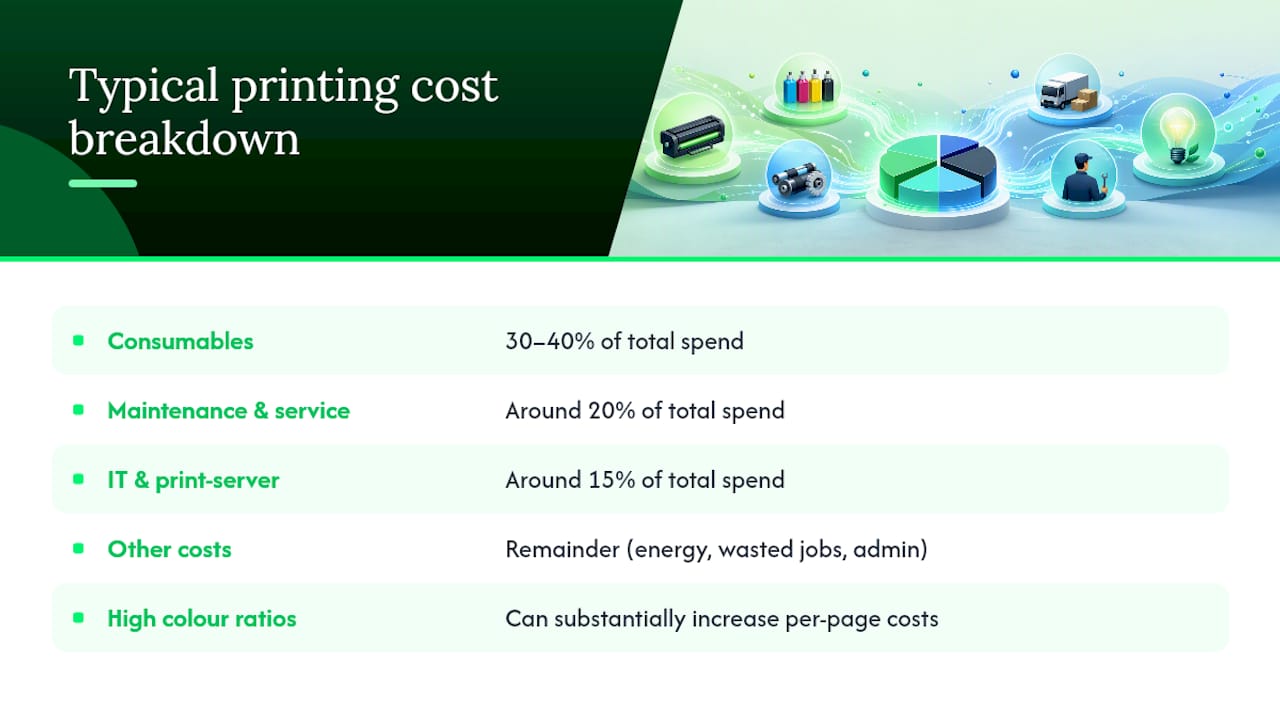
A rough breakdown for a typical mid-sized office looks like this: consumables around 30 to 40% of total spend, maintenance and service around 20%, IT overhead and print-server management around 15%, with the remainder split between energy, wasted jobs and admin time chasing supply shortages. High colour ratios distort this further. A single unrestricted colour default on a shared MFD can substantially increase per-page costs beyond typical expectations, particularly when nobody is watching the ratio.
Policy defaults that cut volume immediately
Change the defaults and you change behaviour without anyone having to think about it. Simple settings like duplex-on and black-and-white-as-default produce visible savings within the first billing cycle, and staff barely notice the switch.
A practical policy checklist:
- Duplex printing on by default for every device on the network.
- Mono as the default colour mode, with colour available on request only.
- Draft or fast-print mode enabled for internal documents.
- Colour permissions restricted to specific roles (marketing, design, finance reporting).
- Secure pull printing so jobs only print when the user badges on at the device.
Push these through your print driver settings, print-management software, or group policy if you are on a Windows domain, so nobody has to remember to change a dropdown menu each time.
Pro Tip: Run defaults as a one-week pilot on a single floor before rolling out company-wide. Send one short email explaining why, then report the page-count drop back to staff. Visible wins get compliance; silent policy changes get workarounds.
Right-sizing and standardising your printer fleet
Match device class to actual monthly volume, not to what looked impressive in a sales brochure five years ago. A desktop inkjet handling 200 pages a month next to a departmental laser MFD rated for 20,000 is a sign your fleet needs a rethink. Retire low-use personal printers and route that work to a shared multifunction device instead.
- Audit duty cycle against actual monthly volume for every device.
- Retire personal printers running under a few hundred pages a month.
- Standardise on one or two MFD models per site to cut spare parts and toner SKUs.
- Consider refurbished plotters and printers through Global Office Machines’ Green+ program for up to 70% off new pricing where budget is tight.
Fleet rationalisation, swapping several small devices for fewer high-capacity MFDs, typically reduces both energy draw and service call frequency at the same time.
| Before | After |
|---|---|
| — | 4 standardised MFDs |
| Multiple toner SKUs, frequent shortages | 2 toner types, predictable ordering |
| Frequent ad hoc service calls | Scheduled maintenance under one contract |
Leasing suits businesses that want predictable monthly costs and regular refresh cycles; buying outright, including refurbished, suits offices with stable, well-understood volume.
Buying smarter: yield, cost-per-page, and genuine vs compatible
The cartridge with the lowest sticker price is rarely the cheapest one to run. Cost-per-page (CPP) is cartridge price divided by rated page yield, and it is the only number that matters when comparing consumables.
Say Cartridge A costs $45 and yields 1,200 pages: CPP is 3.75 cents. Cartridge B costs $60 but yields 2,600 pages: CPP drops to 2.3 cents. B wins on every run beyond a handful of pages, despite the higher shelf price.
Procurement checklist:
- Always check rated yield before comparing unit price.
- Consolidate SKUs to as few cartridge types as your fleet allows.
- Set up automated replenishment to avoid emergency purchases at retail price.
- Confirm whether non-OEM consumables affect your warranty or AMC terms.
Genuine high-yield cartridges often deliver the lowest long-term CPP on high-volume devices, even though checking total yield against device suitability matters more than brand loyalty either way.
Use print-management software to enforce policy and prove savings
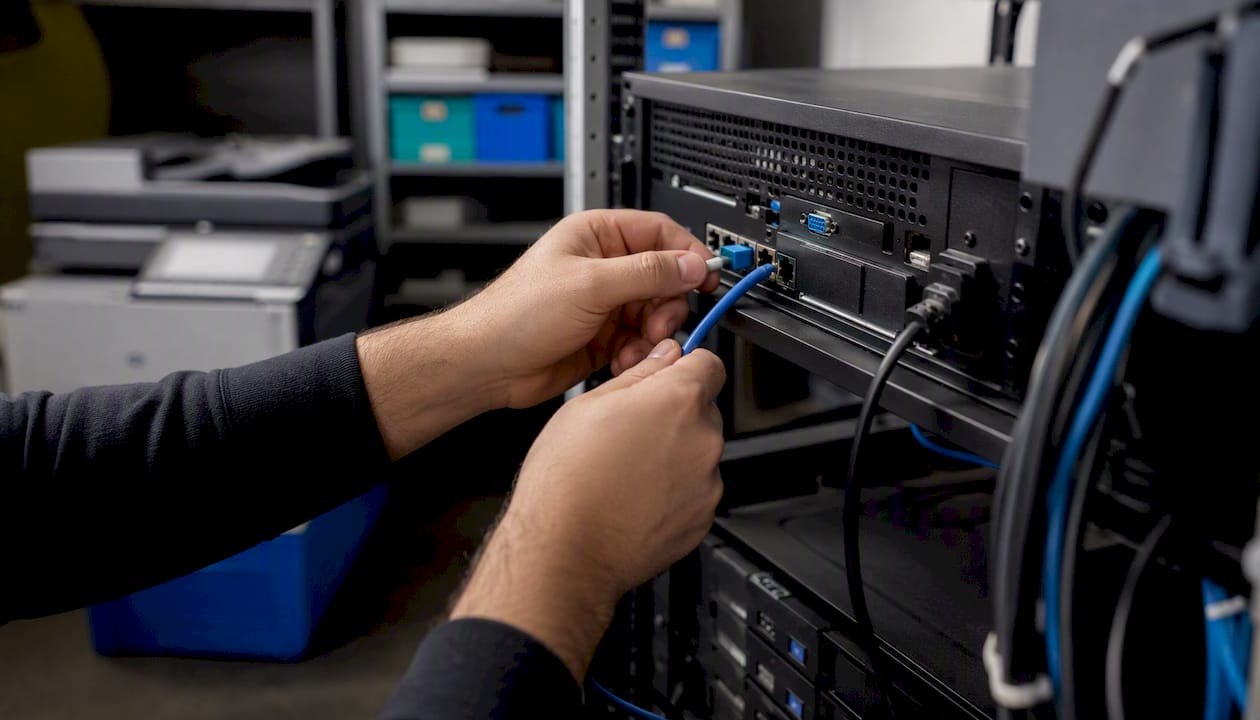
Policies without enforcement drift back to old habits within weeks. Cloud-based print management simplifies infrastructure and gives you the analytics to see exactly where volume and cost are actually going, not where you assume they are.
Demand these capabilities from any print-management platform:
- Secure pull or hold-and-release printing to eliminate abandoned jobs.
- Rules-based routing that sends large jobs to the cheapest-per-page device automatically.
- Per-user and per-department reporting broken down by mono and colour.
- Automatic toner reordering tied to real usage, not guesswork.
- A choice between cloud and on-premises deployment depending on your IT setup.
A pilot on one floor often exposes something specific, like a single department running 80% colour on documents nobody re-reads, or a shared printer with dozens of abandoned jobs sitting in its queue every week. Fixing that one pattern can visibly move the monthly print bill before you touch anything else.
| Capability | On-premises | Cloud-based |
|---|---|---|
| Setup effort | Higher, needs local server | Lower, hosted by vendor |
| Reporting access | Local network only | Accessible from anywhere |
| IT maintenance burden | Falls on internal IT | Largely handled by provider |
Pro Tip: Pick two or three metrics before you start the pilot, such as colour ratio and abandoned-job count. Measure them again after 30 days. Vague pilots produce vague results.
Maintenance routines and staff training that lock in savings
Savings from audits and policy changes only stick if devices keep running well and staff keep the new habits. Build a simple maintenance schedule: monthly consumable and roller checks, a set replacement cadence for high-wear parts, and remote monitoring where your fleet supports it, so small issues get caught before they become an emergency call-out.
Staff training needs to be short and specific:
- Preview documents before printing, especially multi-page attachments.
- Choose mono unless colour genuinely improves the document’s purpose.
- Use duplex as the default, not the exception.
- Flag jobs left uncollected at shared printers so nobody reprints unnecessarily.
Track the impact with a simple monthly report comparing page volume and colour ratio against your audit baseline. Momentum fades fast without a visible number to point to.
When a managed print service makes sense
A managed print service (MPS) contract usually bundles the fleet audit, consolidated supplies with automated replenishment, scheduled maintenance, centralised reporting and a service SLA into one predictable monthly fee. It suits businesses that would rather hand over the ongoing management than run audits and reorder toner internally.
- Confirm what the audit baseline includes before you sign.
- Ask whether replenishment is automatic or requires manual reordering.
- Check reporting frequency and whether it breaks down by department.
- Verify authorised-dealer status for the brands in your fleet.
Case studies tied to MPS rollouts show a consistent pattern: a proper audit exposes the waste, consolidation and automated supply management lock in the savings, and businesses land in the 20 to 30% total spend reduction range within twelve months.
Global Office Machines is an authorised dealer for HP, Kyocera, Fuji Xerox, Lexmark, Epson, OKI and Kodak Alaris, with national service coverage across NSW, VIC, QLD, WA and SA, and government supplier registration for organisations that need it.
Practical steps for office managers to save on print spend
Most advice on cutting print costs jumps straight to buying cheaper toner. That is backwards. The businesses that see real, lasting reductions start with the audit, not the purchase order, because you cannot fix what you have not measured, and cheap consumables often carry a hidden cost-per-page penalty that outweighs the shelf-price saving.
The other place conventional advice falls short is stopping at policy changes. Duplex and mono defaults are easy wins, and they matter, but they are also the first thing staff quietly work around once nobody is checking. Analytics and reporting are what make the difference stick, because they turn “we changed the settings” into “we can prove volume dropped 22% this quarter.”
If you manage a print environment and only do one thing this month, run the audit. Everything else, from fleet right-sizing to consumables procurement to whether an MPS contract makes sense, depends on knowing your actual baseline first. Guessing at savings targets wastes more money than the toner ever did.
Get your print environment reviewed by an authorised dealer
Running the audit yourself is entirely doable, but if you would rather have someone who deals with fleet consolidation and consumable procurement every day take a look, that is exactly what Global Office Machines does. As an authorised dealer for HP, Kyocera, Fuji Xerox, Lexmark, Epson, OKI and Kodak Alaris, Global Office Machines can assess your current fleet, recommend right-sized replacements, and set up managed print arrangements with automated toner replenishment so your office stops paying emergency prices.
For offices not ready to overhaul the whole fleet, switching to genuine high-yield ink cartridges is a straightforward first step that lowers cost-per-page without any new hardware. Businesses managing broader operational costs, including facility upkeep alongside print spend, may also find value in reviewing office cleaning cost strategies as part of the same efficiency push. Browse the full range of consumables and devices or get in touch with Global Office Machines to scope a fleet audit for your office.