

Printer total cost of ownership equals purchase or lease cost, plus every running expense across the machine’s working life: consumables, service, energy, paper, IT support and downtime, minus whatever you recover through resale or offset through disposal. For most Australian offices, the sticker price is the smallest number in that sum.
TCO = Purchase/Lease Cost + Consumables + Service/Support + Energy + Paper + IT/Downtime + Disposal/Resale
Running costs like toner, scheduled maintenance and electricity commonly exceed the original hardware cost over a typical five-year ownership period. That’s the number most procurement decisions get wrong: they compare purchase prices, not five-year totals.
Your next move is simple. Before you request quotes or sign a lease, pull together three figures from your current fleet:
- Monthly mono page volume (from your last 3 to 6 months of device reports)
- Monthly colour page volume and the ratio of colour to mono jobs
- Expected ownership period in years (three, four or five is standard for office fleets)
With those three numbers, you can run the worked calculation later in this guide or ask Global Office Machines for a tailored TCO assessment based on your actual fleet data.
Key Takeaways
Printer total cost of ownership is driven far more by consumables, service and downtime over the ownership period than by the original hardware price.
| Point | Details |
|---|---|
| Collect your usage data | Pull 3 to 6 months of device reports to establish real mono and colour page volumes. |
| Calculate separate CPP figures | Work out mono and colour cost-per-page independently, using realistic coverage assumptions. |
| Run the full formula | Apply the worked example structure with your own hardware, consumable, service, energy and paper figures. |
| Compare lease versus buy fairly | Use the same ownership period and include every running cost on both sides of the comparison. |
| Request a GOM TCO audit | Global Office Machines can build a fleet-specific TCO figure and recommend a procurement path based on your actual volumes. |
Table of Contents
- What does printer total cost of ownership actually include?
- How do you calculate printer total cost of ownership?
- Where do you get reliable numbers for your own calculation?
- What pitfalls should you watch for in vendor TCO calculators?
- How can you reduce printer total cost of ownership?
- How does Global Office Machines help lower printer TCO for business fleets?
- Get a free TCO audit from Global Office Machines
What does printer total cost of ownership actually include?
Total cost of ownership is a lifecycle figure, not a purchase price. It covers everything a printer or multifunction device costs you from the day it arrives to the day it leaves the building, and several of those costs are easy to miss when you’re comparing quotes side by side.
- Hardware or lease cost. The upfront purchase price, or the total of lease payments across the contract term.
- Consumables. Toner or ink cartridges, drums, fuser units and maintenance kits, priced against how many pages they actually produce.
- Service and support. Warranty coverage, call-out fees once warranty expires, and the parts and labour for scheduled maintenance.
- Energy. Power draw during printing, standby and sleep modes, which adds up across a fleet running for years.
- Paper. Often overlooked as a “printer cost” but it’s a direct function of print volume and belongs in the total.
- IT support and downtime. Staff time spent troubleshooting jams, driver issues or connectivity problems, plus lost productivity while a device is out of action.
- Depreciation, resale or disposal. What the device is worth (or costs to dispose of responsibly) at the end of its working life.
Mono and colour cost-per-page need to be treated as separate line items, not blended into one average, because colour consumables typically cost several times more per page than mono. It also pays to check what yield is bundled with a new device. Many machines ship with a “starter” cartridge rated well below the full replacement cartridge’s yield, which flatters the first few months of running costs before reality sets in.
Ownership period and duty cycle change these totals more than almost any other variable. A device rated for 20,000 pages a month but running 3,000 will have a very different cost profile to the same device pushed near its limit, and a three-year lease produces a different total to a five-year purchase even before you compare monthly figures.
How do you calculate printer total cost of ownership?
Run the same formula from the top of this guide, then work through it in six steps.
- Pick your ownership period. Three, four and five years are the common benchmarks for office equipment; use whichever matches your actual replacement cycle.
- Total hardware or lease costs across that period. For a lease, multiply the monthly payment by the number of months in the term.
- List consumable costs and yields. Get the price of each toner or ink cartridge and its rated page yield, separately for mono and colour.
- Add service costs. Include warranty-period coverage and post-warranty call-out and parts costs, averaged across the ownership period.
- Add energy and paper costs, based on your actual or estimated monthly volume.
- Estimate downtime and IT support costs. Even a rough figure for staff hours lost to printer issues each month is better than leaving it out entirely.
Cost-per-page (CPP) is the metric that ties consumables to real usage. The formula is straightforward: divide the consumable price by its expected page yield, then adjust for realistic page coverage rather than the light 5% coverage most yield ratings assume. Run this separately for mono and colour, because a single blended CPP hides where your money is actually going.
Here’s an example for a typical office printing a moderate volume of mono and colour pages monthly, over a typical ownership period.
If your documents run graphics-heavy or full-colour reports, your real colour CPP will sit higher than $0.09, so adjust the coverage assumption to match your own print jobs before you rely on the total.
Where do you get reliable numbers for your own calculation?
The accuracy of your TCO figure depends entirely on the accuracy of your inputs, and the good news is that most of them already exist somewhere in your business.
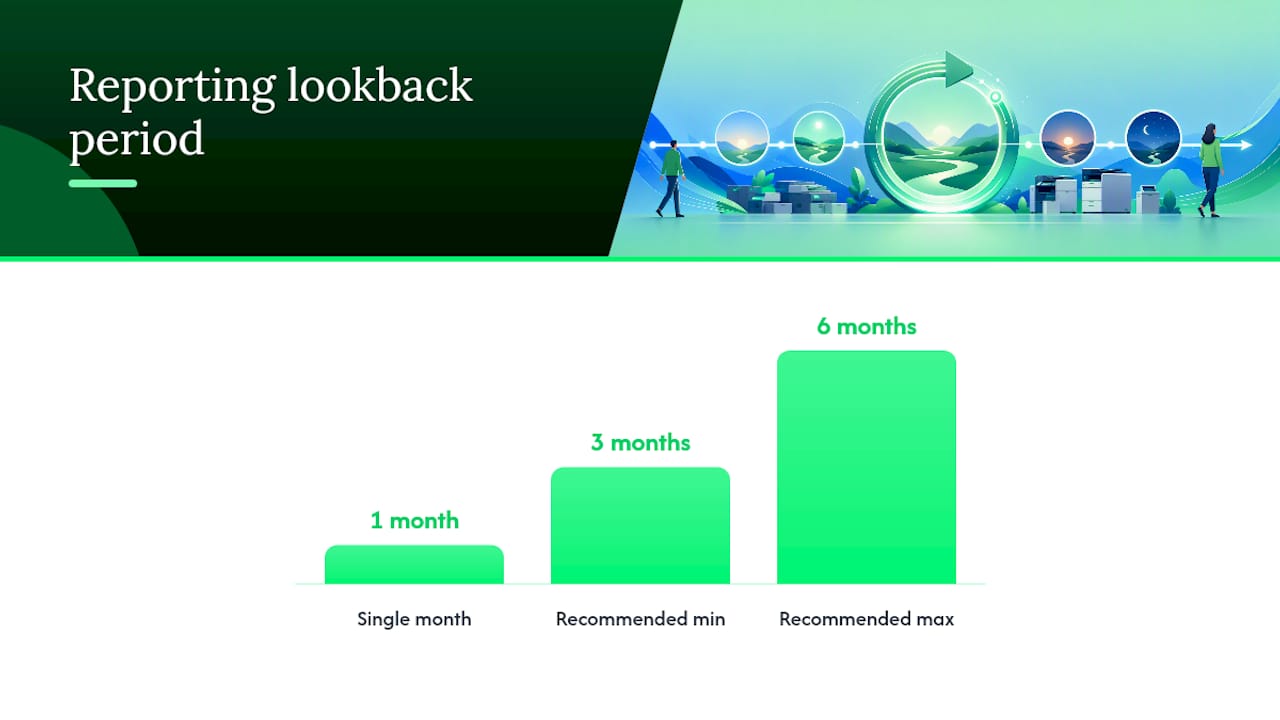
Start with device usage reports. Most modern printers and multifunction devices log page counts through their firmware, and if you run print-management software, it will break that volume down by mono, colour and even by user or department. Pull the last three to six months of reports rather than a single month, because a single month can be skewed by an unusual project or a quiet period around public holidays.
- Purchase invoices and supplier quotes give you actual hardware and consumable pricing, not list price.
- Service contracts show call-out rates, response time commitments and what’s covered versus billed separately.
- Electricity tariffs from your energy provider let you convert a device’s rated power draw into an actual dollar figure.
- Manufacturer yield specifications are the starting point for consumable costs, but adjust them against your fleet’s real coverage rather than taking them at face value.
Pro Tip: Keep a three-month buffer stock of high-yield consumables for your most-used devices. It protects you from emergency premium purchases when a cartridge runs out mid-project, and it smooths out the price volatility that comes from ordering reactively instead of on a schedule.
Higher-yield and extra-high-yield cartridges cost more upfront but usually deliver a lower cost per page and mean fewer disruptive cartridge changes, which matters more in a busy office than the invoice total suggests.
What pitfalls should you watch for in vendor TCO calculators?
Manufacturer and reseller TCO calculators aren’t dishonest, but their default assumptions are usually optimistic, and a few consistent patterns show up across the industry.
Vendor yield claims are typically based on light page coverage, often around 5%, using a standardised test pattern. Real business documents, especially anything with logos, tables or colour blocks, will use more toner per page than that test pattern assumes. Run your own coverage estimate from a sample of your actual print jobs before trusting a manufacturer’s headline CPP figure.
Watch for these specific issues:
- Optimistic yield claims. Manufacturer yields assume light coverage; your real documents likely use more toner or ink per page.
- Short ownership periods. A calculator built around a two-year window will understate lifetime running costs compared to a realistic four or five-year period.
- Ignored downtime and IT support. Few vendor tools put a dollar figure on staff time lost to printer problems, even though it’s a real cost.
- Excluded disposal or resale value. End-of-life costs and residual value rarely appear in a vendor’s headline TCO figure.
- MSRP instead of negotiated pricing. Calculators often use recommended retail price for consumables rather than the discounted rate you’d actually pay through a supplier relationship.
- Bundled click-plan fine print. Some plans look cheap per page until you exceed the included volume or print in colour, at which point overage rates or surcharges apply.
The corrective action for most of these is the same: replace the vendor’s assumed figures with measured figures from your own fleet wherever you can. If you don’t have that data yet, that’s the first gap to close.
How can you reduce printer total cost of ownership?
Lowering TCO rarely comes down to one decision. It’s usually a combination of procurement choices, day-to-day policy and how the fleet is managed operationally, and the levers below work best applied together rather than in isolation.
On procurement, favour devices rated for a duty cycle comfortably above your actual monthly volume, and check what high-yield consumable options exist before you buy. Compare leasing against buying using the same ownership period and the same full list of running costs. It’s easy to make leasing look cheaper by comparing only the monthly payment against a hardware purchase price, when the real comparison needs consumables, service and energy included on both sides.
Operationally, a few changes tend to produce quick, measurable savings:
- Set default print settings to duplex and mono across the fleet.
- Restrict colour printing access to users who genuinely need it.
- Route print jobs to the lowest-cost appropriate device rather than the nearest one.
- Consolidate several inefficient desktop printers into fewer, appropriately sized multifunction devices.
- Standardise on fewer device models to simplify consumable stock and technician familiarity.
Managed print services or a leasing arrangement can be worth the premium when predictable monthly budgeting matters more than owning the equipment outright. Bundling hardware, supplies and maintenance into one monthly charge removes a lot of the administrative overhead of managing consumable orders and service call-outs separately, and centralised print management with secure print release and rules-based routing cuts down on wasted, uncollected print jobs. Businesses evaluating colour output quality against cost should also factor in colour management standards; a resource like this ICC colour profile guide is a useful technical reference when colour accuracy is part of the buying decision.
Pro Tip: Standardising your fleet on two or three device models instead of eight different ones cuts parts complexity, simplifies technician training and makes consumable stock management far easier to forecast.
Here’s a 30 to 90 day checklist to put these levers into practice:
- Pull usage reports and calculate current mono and colour CPP across your fleet.
- Identify any device running well below or well above its rated duty cycle.
- Get a quote comparing your current setup against a consolidated, standardised fleet.
- Set duplex and mono as the default print settings network-wide.
- Review your ownership period and compare lease versus buy using full running costs, not just monthly payments.
How does Global Office Machines help lower printer TCO for business fleets?
Reducing TCO across a real fleet, not a spreadsheet, is where the calculation actually earns its keep. Global Office Machines works with businesses across NSW, VIC, QLD, WA and SA to bring the numbers above down to something manageable.
- Fleet assessments and TCO audits that map your current devices against actual usage, not manufacturer assumptions.
- Managed print services with centralised routing and replenishment to cut waste and administrative time.
- Leasing and rental options for businesses that prefer predictable monthly costs over upfront capital spend.
- National service coverage and fast consumable fulfilment, so buffer stock doesn’t need to sit as deep as it otherwise might.
Global Office Machines is an authorised dealer for major brands including HP, Kyocera, Fuji Xerox, Lexmark, Epson, OKI, Kodak Alaris and others, and runs a Green+ programme offering refurbished, re-engineered machines at up to 70% off new pricing for businesses that want to lower upfront hardware cost without giving up reliability. Clients typically see fewer devices doing more work, lower blended CPP once a fleet is standardised, and fewer emergency consumable orders once a buffer stock and replenishment routine is in place.
Service callout: Global Office Machines offers a TCO audit that walks through the same calculation framework covered above, using your fleet’s actual page volumes, colour mix and service history rather than manufacturer assumptions.
A note from the Global Office Machines team
We see the same pattern across most new clients: nobody’s ignoring printer costs on purpose, they just haven’t sat down and totalled up consumables, service call-outs and downtime against the original purchase price. Once that number is on paper, the procurement conversation changes completely.
If your fleet hasn’t had a proper TCO review in the last two years, that’s usually the first place worth looking. We can run a sample calculation against your actual page volumes before you commit to anything.
Get a free TCO audit from Global Office Machines
You’ve now got the formula, the worked example and the pitfalls to watch for. The fastest way to turn that into a real number for your business is a Global Office Machines TCO audit, which takes your actual fleet data rather than manufacturer assumptions and runs it through the same framework covered in this guide.
The audit typically delivers:
- A summary of your current fleet’s usage, broken down by mono and colour volume.
- Recommendations on right-sizing, including where consolidation would cut costs.
- An estimated five-year TCO figure specific to your business, not a generic benchmark.
- A recommended procurement path, whether that’s outright purchase, lease or a managed print arrangement.
If you’re ready to act on the numbers rather than just calculate them, browse high-yield ink cartridges built to lower your cost per page, or head to the Global Office Machines shop to request a quote and get delivery organised with national coverage.