

To print a GS1-compliant barcode, pick the right symbol for the use case (EAN/UPC for retail scanning, GS1-128 or GS1 DataMatrix for logistics and variable data), produce artwork to GS1 specifications with 1–2 mm of quiet zone beyond the stated minimum, and print it with equipment matched to that symbol’s resolution needs. Verify every run with an ISO/IEC-compliant scanner before it reaches a pallet or a shelf.
TL;DR:
- Ensuring a GS1 barcode is printed with the correct symbol, artwork, and resolution is critical; verification with ISO/IEC-compliant scanners prevents future failures.
- Matching printing method to volume and data type (static or dynamic) helps maintain high quality, with options ranging from pre-printed labels to inline digital printing.
- Design parameters like size, quiet zone, and placement directly influence readability, requiring adherence to GS1 guidelines and careful control of physical factors.
- Substrate choice and material quality significantly affect scan success, especially with glossy, textured, or porous surfaces, and appropriate ribbons or inks are essential for durability.
- Continuous verification and tight control over artwork, printer duty cycle, and consumables ensure barcode quality remains consistent throughout daily production.
Table of Contents
- What you need before you print a single label
- Choosing a printing process: preprint, thermal, CIJ, digital and direct marking
- Design rules: size, quiet zone, colour and placement
- Substrate and material choices that affect scan quality
- Verification and quality checks: how to know a barcode actually works
- Keeping barcode quality consistent in daily production
- How to choose a printer and supplies
- Integration with ERP or inventory systems for automated barcode printing
- Legal and compliance considerations across different markets
- The gap between GS1 theory and shop-floor reality
- GOM’s printing and supply options for GS1 compliance
What you need before you print a single label
Barcode printing starts with the file, not the printer. You need vector artwork built to GS1 specifications, or exported from a GS1-endorsed design tool, encoding the correct GTIN and any required Application Identifiers. Get this wrong and no printer, however expensive, will fix it.
The next decision is whether your data is static or dynamic. A fixed retail product code can go straight onto pre-printed packaging. A batch number, expiry date, or serial number changes every unit, which means static data suits pre-print while dynamic data needs inline printing tied to your production line.
From there, equipment follows volume:
- Label service or bureau — good for low, irregular volumes with no printing overhead.
- Desktop thermal transfer printer — suits small runs and single-site operations.
- Industrial thermal transfer or continuous/thermal inkjet (CIJ/TIJ) — needed for high-volume, always-on lines.
- Matched consumables — label stock and ribbons or inks selected for the substrate, not just whatever is on the shelf.
Choosing a printing process: preprint, thermal, CIJ, digital and direct marking
The method you choose has to match both the symbol and the line speed, not just the budget you have this quarter.
- Pre-printed packaging works when the GTIN never changes and you’re ordering large print runs from a converter. It gives the sharpest, most consistent result because it’s produced under controlled offset or flexo conditions.
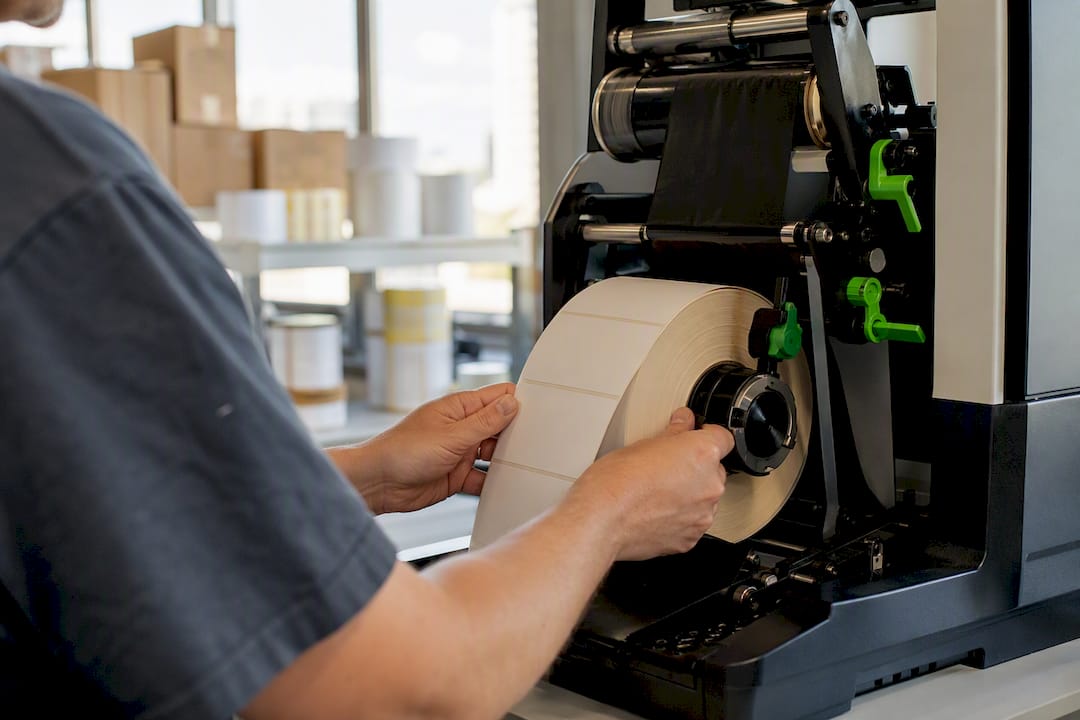
- Offline label printing (desktop or industrial thermal transfer) suits variable data applied after the fact, such as batch codes on cartons.
- Inline digital or thermal printing integrates directly with production and serialisation software, printing each code as the unit passes the printhead.
- Continuous or thermal inkjet (CIJ/TIJ) handles high-speed lines where contact printing methods can’t keep pace, though print resolution is generally lower.
- Direct part marking (laser etching, dot peen) applies where the barcode goes onto the product itself rather than a label.
Two-dimensional symbols such as GS1 DataMatrix demand steadier substrate handling and higher resolution than a simple EAN, so a printer that’s adequate for linear codes may fall short once you move to 2D. If your volumes are modest and quality risk is high, an outside specialist printer with proven GS1 output is often more cost-effective than trying to force an underpowered in-house setup to comply.
Design rules: size, quiet zone, colour and placement
Every design decision here traces back to one question: will a scanner read this reliably, first time, every time?
Symbol choice depends on where the code gets scanned. Retail point-of-sale wants EAN/UPC. Warehouse and logistics operations lean on GS1-128 or GS1 DataMatrix, which carry more data in less space. Healthcare and direct part marking applications increasingly favour 2D symbols too, and the industry has flagged 2027 as a target for broader point-of-sale readiness for select 2D barcodes, so it’s worth designing with that transition in mind now rather than retrofitting later.
Size and magnification minimums shift depending on your printing method. A high-resolution industrial printer can run closer to the minimum; a coarser process needs a larger nominal size to stay reliably readable.
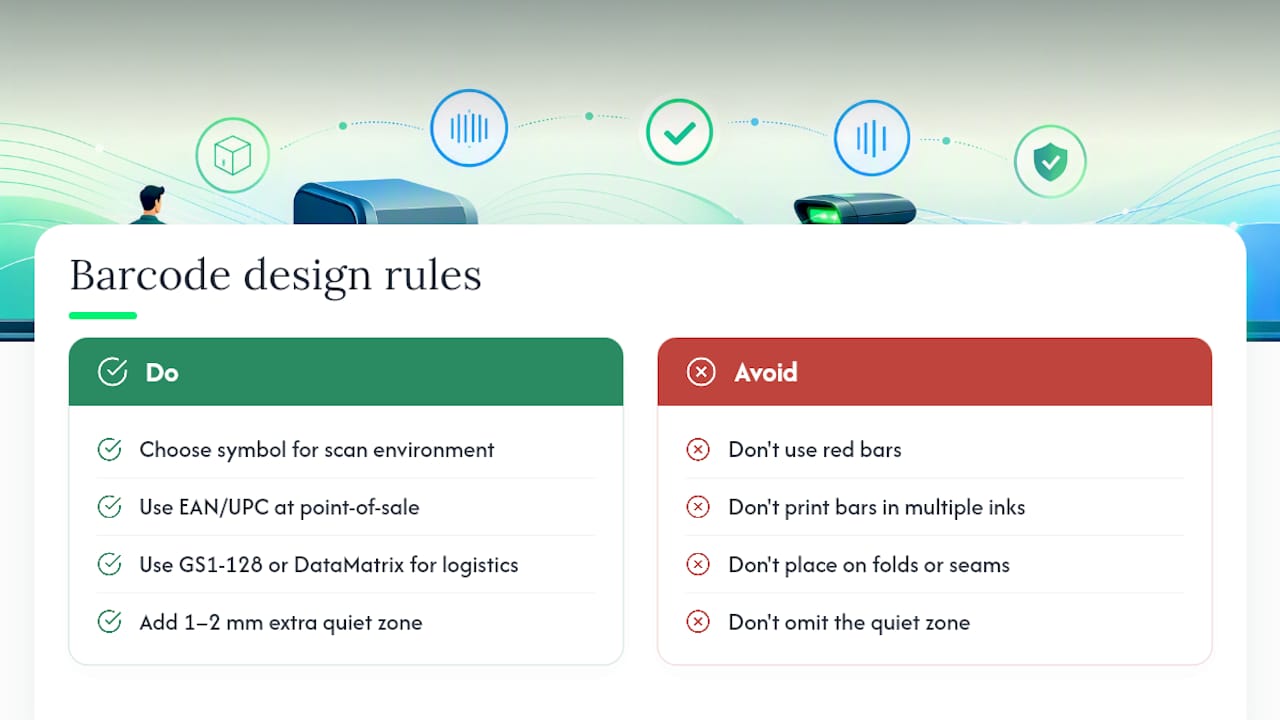
Quiet zone is the unprinted margin either side of the bars, and it is not optional. GS1 Australia’s own guidance on creating and printing barcodes recommends adding 1–2 mm beyond the absolute minimum to cover normal printer drift and label-feed variation.
Pro Tip: Build that extra quiet zone margin into your artwork template once, permanently, rather than trusting every new design file to remember it.
On colour, stick to dark bars on a light background, avoid red bars (many scanners can’t read them), and never print bars in more than one ink. GS1 US’s placement and printing guidelines also favour back-of-pack, lower-right placement for point-of-sale items, well clear of carton edges, folds, and seams where a scanner beam can’t sit flat.
Substrate and material choices that affect scan quality
The surface you print on has as much influence over scannability as the printer itself. A high-spec printer cannot rescue an unsuitable substrate or sloppy artwork.
- Glossy or transparent stock can wash out contrast under scanner light; matte finishes usually perform better.
- Textured or porous surfaces cause ink spread, which thickens bars and throws off the ratio a scanner expects.
- Label adhesive and material need to suit the storage environment, cold-chain versus ambient warehouse conditions call for different facestocks entirely.
- Ribbon and ink type matters: wax ribbons suit basic paper labels, wax/resin handles light abrasion, and full resin ribbons or pigment inks give the durability needed for chemical exposure or outdoor storage.
Direct part marking suits durable goods and reusable assets but has its limits. It struggles on soft, deformable, or highly reflective surfaces where laser or dot-peen marks can’t hold consistent contrast.
Verification and quality checks: how to know a barcode actually works
A barcode that looks fine to the eye can still fail on a scanner. Bar width reduction, ink spread, and an undersized quiet zone are invisible to a quick visual check but show up instantly under a proper verifier.
- Run pre-production samples through an ISO/IEC 15426 compliant verifier, using 15426-1 for linear symbols and 15426-2 for 2D symbols.
- Read the resulting GS1 grade report, most major retailers expect a passing grade before goods are accepted into their supply chain.
- If a symbol fails, check the three usual suspects first: bar width reduction settings, ink or ribbon spread on your substrate, and quiet zone width.
- Re-test after adjustment before committing to a full production run.
Verification statistic worth remembering: the entire verification framework rests on just two ISO/IEC standards, 15426-1 and 15426-2, covering every linear and 2D symbol GS1 recognises. Knowing which one applies to your symbol type is the fastest way to avoid buying the wrong verifier.
Keeping barcode quality consistent in daily production
Compliance on day one means nothing if quality drifts by week three. Link your printer to the data source generating GTINs and Application Identifiers, and keep strict version control over artwork so a stale file never sneaks back into rotation.
- Match printer duty cycle to your real daily volume, an undersized printer run flat-out will degrade faster and produce inconsistent output.
- Set a sampling schedule and verifier check at defined intervals, logging every grade and any remedial action taken.
- Build diagnostic marks, such as horizontal bearer bars, into label proofs so a dead thermal printhead element shows up immediately rather than after a pallet’s worth of unreadable labels.
Pro Tip: A five-minute bearer-bar check at shift start catches a failing printhead element before it costs you a rejected shipment.
How to choose a printer and supplies
Start with expected daily output and the resolution your smallest symbol demands, then work backwards to hardware. A printer whose rated duty cycle sits comfortably above your peak volume will outlast one bought purely on unit price.
Match consumables to the job: label stock and ribbons certified for your substrate and storage environment, with spares kept on hand so a ribbon changeover never becomes downtime. For production lines running close to capacity, matching printing capacity to manufacturing throughput is worth thinking through before you commit to a printer class.
Service coverage matters as much as the hardware spec sheet. Ask about spare parts availability and managed-supply arrangements that keep consumables flowing without someone chasing reorders every fortnight. Refurbished or leased equipment can also bring the right-spec printer within budget without forcing a compromise on print quality.
Integration with ERP or inventory systems for automated barcode printing
Manual barcode generation doesn’t scale past a handful of SKUs. Once product ranges or batch variables grow, the printer needs to talk directly to whatever system holds your product and inventory data, whether that’s a full ERP platform, a warehouse management system, or a simpler inventory tool.
The mechanics are straightforward in principle: your ERP or inventory database holds the GTIN, batch, lot, or serial data, and a label design template pulls that data automatically at print time rather than someone retyping it onto a label file. This removes the most common source of GS1 encoding errors, a transposed digit or mismatched Application Identifier, which is far easier to introduce manually than through a validated data feed.
Integration also gives you an audit trail. When a barcode issue turns up at a retailer’s dock, being able to trace exactly which batch, printer, and data record produced that label saves days of investigation. Most industrial label printers built for production environments support standard integration protocols, so the printer becomes a print engine sitting downstream of your core business system rather than an isolated device someone feeds by hand.
For businesses moving from irregular label printing to steady production, this integration step tends to matter more than any single hardware upgrade. A mid-range thermal transfer printer connected properly to accurate data will consistently outperform a premium printer fed from a spreadsheet someone forgot to update.
Legal and compliance considerations across different markets
GS1 barcodes themselves aren’t government-mandated in most markets, but the products carrying them are often subject to labelling laws that intersect with barcode placement and content. Food, pharmaceutical, and medical device categories in particular tend to carry additional traceability obligations layered on top of GS1’s own standards, and these obligations vary by country and by product category.
Retailers add their own layer on top of any legal minimum. Major retail chains typically require a passing GS1 verification report before they’ll accept new products into their supply chain, and that requirement functions as a de facto compliance gate even where no law demands it. Missing that step doesn’t create legal exposure, but it does mean stock sitting in a warehouse instead of on a shelf.
Cross-border sellers face the added complexity of GTIN allocation and Application Identifier rules that are largely consistent globally under GS1’s standards, but retailer-specific and category-specific requirements (health claims, country-of-origin marking, batch traceability for recalls) still need checking against the destination market’s own regulations. Treat GS1 compliance as the baseline, not the ceiling, and confirm category-specific labelling law separately for each market you ship into, ideally with someone who tracks that market’s regulations directly rather than relying on general barcode guidance to cover it.
The gap between GS1 theory and shop-floor reality
Most guidance on this topic treats barcode compliance as a design problem: get the artwork right and you’re done. That’s backwards. The part that actually causes rejected shipments is operational: a ribbon that doesn’t suit the label stock, a printer running past its duty cycle, an artwork file that got updated in one system but not another.
Where I’d push back on conventional advice is the emphasis on getting the barcode “right” once, at the design stage, and treating verification as a formality before shipping. Verification should be a standing habit, not a one-off gate. A printer that passed verification in January can drift by June as printheads wear and ribbon batches change.
If you’re setting priorities, don’t start with software or design software. Start with matching your printer’s duty cycle to your actual volume, and build a verification routine around it. Everything else, colour rules, quiet zones, placement, is well documented and easy to get right. Equipment mismatch is what quietly erodes quality over months, and it’s the piece most compliance checklists skip entirely.
— Matthew
GOM’s printing and supply options for GS1 compliance
Global Office Machines is the practical alternative to piecing together barcode compliance from a mix of bureau printing, generic label printers, and guesswork on consumables. We stock label printers, industrial-grade printers, and the ribbons, label stock, and inks that need to match your substrate, sourced from authorised brands including HP, Epson, Kyocera, and OKI, so you’re not troubleshooting a mismatch between hardware and consumables after the fact.
Beyond hardware, our managed print services cover consumables delivery on a schedule that suits your production volume, so ribbons and stock don’t run out mid-batch. If your line is already running Epson equipment, keeping compatible ink on hand, such as the Epson 312 CMYK colour pack, avoids downtime waiting on a reorder. Browse the full printer and consumables range at Global Office Machines’ online store and get a quote for equipment sized to your actual daily volume, not just the cheapest unit on the page.