

A toner cartridge holds the powder that forms the print. A drum unit is the cylinder that transfers that powder onto the page. Replace the toner when prints fade evenly or the printer flags it as low; replace the drum when you see repeating marks, ghosting, or a drum-life warning on the display.
That single distinction solves most printer consumable confusion. Get it wrong and you’ll either keep buying toner that never fixes a fault, or replace an expensive drum unit that had years of life left in it.
- Toner cartridge: the consumable powder supply, used up on every print job.
- Drum unit: the imaging component that transfers toner to paper, usually lasting through several toner cartridges.
- Rule of thumb: uniform fading means toner; repeating defects mean drum.
Key Takeaways
Toner depletes with every print and causes even fading, while the drum wears mechanically and causes repeating defects that appear at fixed intervals on the page.
| Point | Details |
|---|---|
| Toner fails evenly | Uniform fading or a low-toner warning almost always means the cartridge, not the drum. |
| Drum fails in patterns | Repeating spots, lines, or ghosting at regular spacing point to a worn or damaged drum. |
| Run the swap test | Fit a known-good toner cartridge first; if the fault stays, the drum needs replacing. |
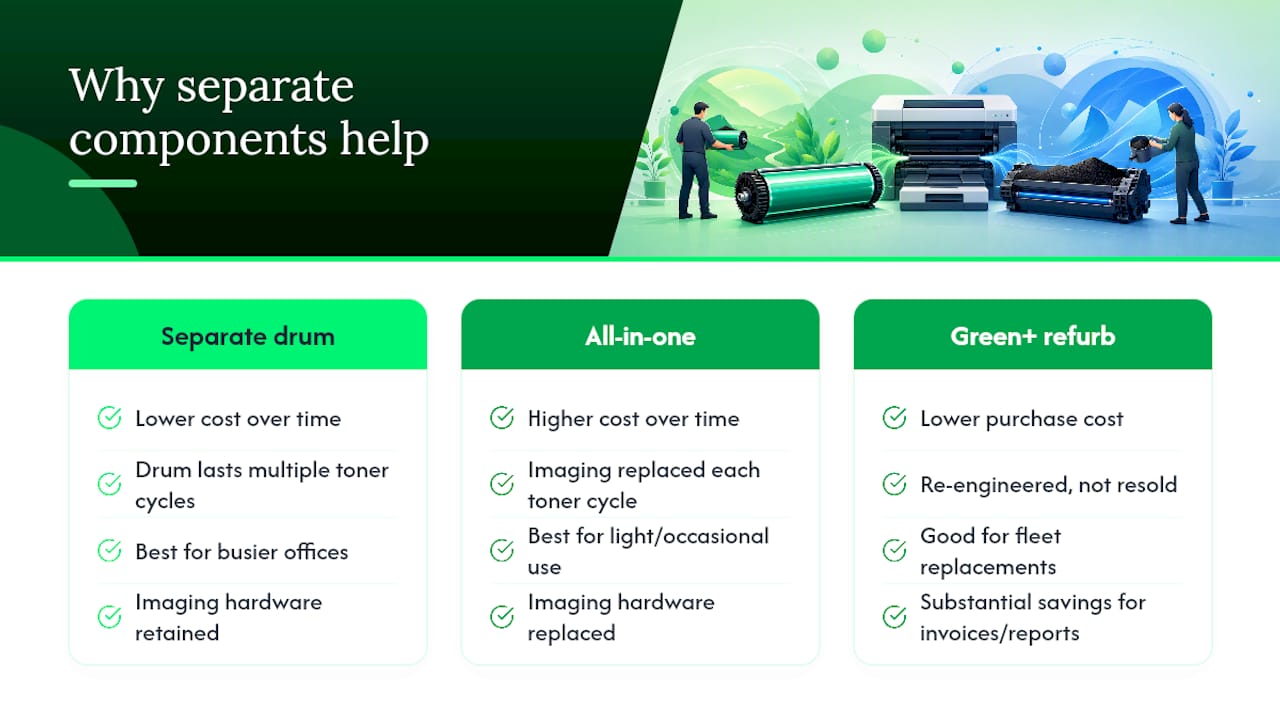
| Know your design | Separate drum and toner components cost less over time than integrated all-in-one cartridges. |
| Buy from an authorised dealer | Global Office Machines supplies genuine and compatible toners and drums matched to your exact printer, plus Green+ refurbished machines as a lower-cost alternative. |
Table of Contents
- What a toner cartridge is and how it works
- What a drum unit does inside a laser printer
- Toner or drum: how to tell which one has failed
- Separate components or one integrated cartridge: what your printer uses
- What lifespan and cost actually look like in practice
- How Global Office Machines helps you get consumables right
- Why I recommend separate components for busier offices
- Get the right toner and drum without the guesswork
- Where to check the technical details yourself
What a toner cartridge is and how it works
Toner isn’t ink. It’s a fine powder made of pigment fused into plastic polymer particles, engineered to melt and bond to paper under heat rather than soak in like liquid ink. That’s the whole reason laser printers exist as a separate category from inkjets: the powder gives sharper text edges and holds up better over time without smudging.
Every page you print draws a small, measured amount of toner from the cartridge. The printer tracks this electronically and reports an estimated toner level through its display panel or driver software, though that estimate gets less reliable as the cartridge nears empty. It’s an estimate, not a precise gauge, which is why a “5% remaining” warning can sometimes print another 40 pages and sometimes stop mid-document.
Cartridge yield varies enormously by model and by category:
- Standard-yield cartridges typically cover a few hundred to around 1,500 pages, aimed at light or occasional printing.
- High-yield cartridges can stretch to 3,000, 6,000, or more pages, built for offices that print daily.
- Colour cartridges (cyan, magenta, yellow) usually deplete faster than black in mixed-content documents, since colour images draw from three cartridges at once.
Pro Tip: If your office prints more than a few hundred pages a week, a high-yield cartridge almost always works out cheaper per page than replacing a standard cartridge twice as often.
What a drum unit does inside a laser printer
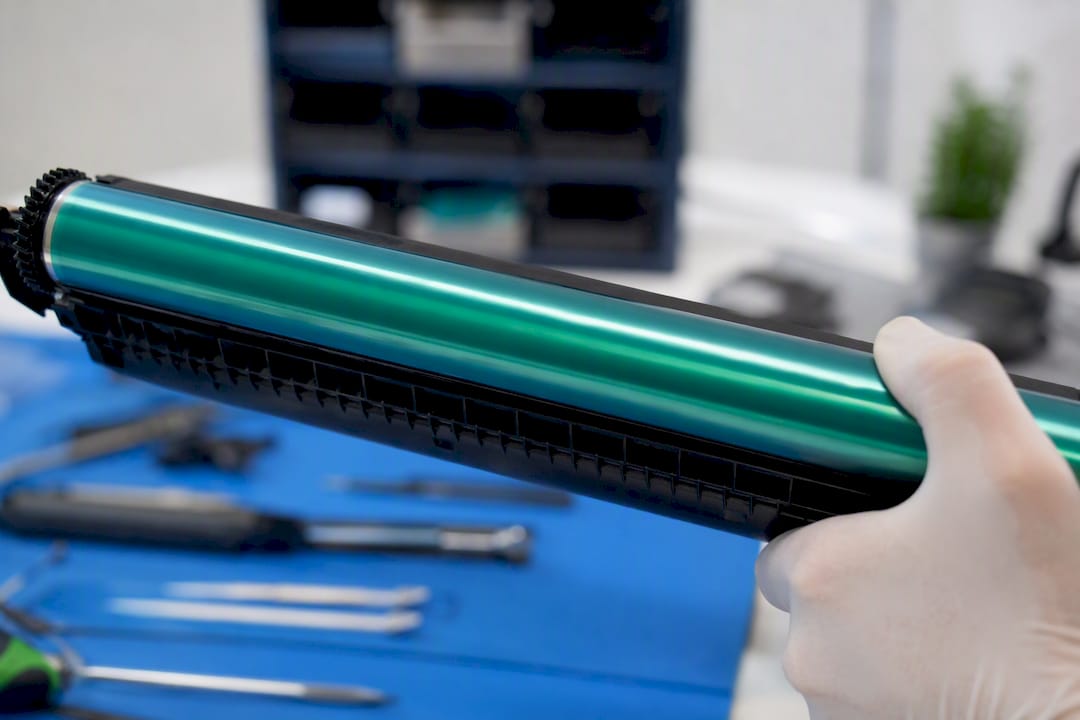
The drum is the workhorse most people never think about until it fails. It’s a photosensitive cylinder, an organic photoconductor, that gets electrically charged and then exposed to a precisely controlled laser beam. Wherever the laser hits, it neutralises the charge and leaves behind an invisible electrostatic image, essentially a static-cling pattern shaped like your document.
Toner powder is drawn to the charged areas of that pattern, the same way dust clings to a charged balloon. The drum then rolls against the paper and transfers the toner across, and a fuser unit applies heat and pressure to melt it permanently onto the page. HowStuffWorks breaks down this full sequence in more technical detail, but the short version is: charge, expose, attract, transfer, fuse.
- Drum receives the electrostatic image from the laser.
- Toner sticks to the charged pattern on the drum’s surface.
- The drum rolls and deposits toner onto the paper.
- The fuser melts the toner into the page permanently.
Because the drum does mechanical work on every rotation rather than being consumed like powder, it wears far more slowly than toner. But wear it does, and when a section of the drum’s surface degrades or picks up a scratch, that flaw repeats on the page every time the drum completes a rotation.
A scratch, dent, or worn patch on the drum’s surface doesn’t just cause one bad print. It stamps the same mark onto every page, spaced exactly as far apart as the drum’s circumference, until the drum is replaced.
Toner or drum: how to tell which one has failed
Run through these checks before you order anything.
- Look at the fade pattern. Even, overall lightening across the whole page, or a “toner low” message on the display, points to the cartridge.
- Look for repetition. Spots, streaks, or lines that reappear at the same vertical spacing on every page, or ghost images of previous content bleeding through, point to the drum.
- Swap the toner. Fit a known-good cartridge. If the fault clears, it was toner. If the exact same mark shows up again, the drum is the problem.
This diagnostic works because the two failure modes look genuinely different once you know what to check. Fading is about volume, there’s simply less powder available to deposit. Repetition is about geometry, something physical on the drum’s surface is leaving its signature on every rotation.
Pro Tip: If you’ve just replaced a toner cartridge in a printer with a separate drum unit and suddenly see ghosting, check that the toner is seated correctly inside the drum housing before assuming the drum has failed. Poor seating is a common installation fault that mimics a worn drum.
Separate components or one integrated cartridge: what your printer uses
Printer manufacturers split roughly into two camps here, and knowing which one you own changes how you budget for consumables.
- Integrated cartridges combine the drum and toner into a single unit. Every time you replace toner, you also replace the drum, whether it needed it or not. This is simpler for casual users but means you’re paying for a fresh imaging drum far more often than necessary.
- Separate designs sell the drum and toner as independent parts. The drum is bought once and lasts through several toner cartridge changes, which lowers the cost per page over the printer’s lifetime for anyone printing at moderate to high volume.
- Manufacturers usually document which design applies on their support pages and consumables lists, and Brother’s guidance on the topic is a good example of how clearly this gets spelt out for their own range.
Check your printer’s part numbers or consumables menu to see whether “drum” and “toner” appear as two separate SKUs. If they do, you’ve got a separate design and more control over long-term running costs.
What lifespan and cost actually look like in practice
Numbers here vary by model, but the pattern holds across most laser printer ranges.
- Toner cartridges commonly last a few hundred to several thousand pages depending on yield category.
- Drum units, in printers built with separate components, typically last through multiple toner cartridge cycles, often several times the page count of a single toner.
- Integrated designs raise cost per page over time, because you’re replacing imaging hardware on a schedule set by toner depletion, not by actual drum wear.
A drum that still has years of working life doesn’t need replacing just because the toner ran out, yet plenty of buyers throw both away as a matched pair out of habit rather than necessity. If your printer uses separate parts, only replace the one that’s actually failed.
For volume planning, match the cartridge category to your habits: light users printing a few hundred pages a month rarely justify high-yield stock sitting in a cupboard, while offices running daily print jobs almost always save money buying high-yield in bulk.
How Global Office Machines helps you get consumables right
Global Office Machines is an authorised dealer for major printer brands, which means the toners and drums it supplies are matched correctly to your exact model, genuine or quality compatible, rather than a generic guess at fit.
- Order genuine and compatible toners, drums, and printheads with nationwide delivery, so you’re never stuck waiting on a fault that’s easy to fix once the right part arrives.
- Managed print services suit offices running multiple devices, where tracking toner levels and drum life across a fleet by hand becomes its own job.
- The Green+ program offers refurbished machines at up to 70% off, a practical option if you’re weighing a full printer replacement against ongoing consumable costs.
- Not sure which part number you need? Check your printer’s consumables list first, then order the matching drum or toner, or reach out for a quote if you’re unsure.
If you’re running an HP LaserJet M5035x or similar multifunction unit, Global Office Machines can confirm whether it uses separate or integrated consumables before you order.
Why I recommend separate components for busier offices
Any office printing more than a light, occasional volume should favour printers with separate drum and toner components. The maths is straightforward: a drum that lasts through several toner cycles means you’re not paying for fresh imaging hardware every time the powder runs low, and that difference compounds over a printer’s working life.
For budget-conscious buyers or anyone replacing an ageing fleet, Green+ refurbished machines deserve a serious look before committing to new hardware. They’re re-engineered rather than simply resold, and the saving is substantial for a device that will spend most of its life printing invoices and reports rather than glossy brochures.
Get the right toner and drum without the guesswork
Global Office Machines supplies genuine and compatible toner, ink, and drum units with nationwide delivery, matched to your exact printer model rather than a one-size-fits-all guess. That matters because ordering the wrong part number is the single most common reason office consumables sit unused in a cupboard.
If your printer’s still under warranty or running well, ordering the correct replacement toner or drum is usually all you need. Browse consumables such as HP #975A black ink or an Epson T502 maintenance box directly, and if you’re managing a fleet of devices across an office, ask about managed print services to keep every machine stocked before it runs dry. For those weighing up a full printer upgrade instead, the Green+ range of refurbished machines is worth a look before buying new. Head to the shop to order consumables now or request a quote for a managed print plan.
Where to check the technical details yourself
- How laser printers work — HowStuffWorks for the full electrostatic printing process.
- Brother UK’s guidance on toner vs drum for manufacturer-specific replacement advice.